AI triage for product teams

Turn messy bug reports into engineering-ready tickets.

Bring the original report, screenshots, and logs together. BugTriage AI turns that context into a reviewable first pass with severity, reproduction steps, likely cause, and the next useful check.

No signup for the demoReal interface · realistic data
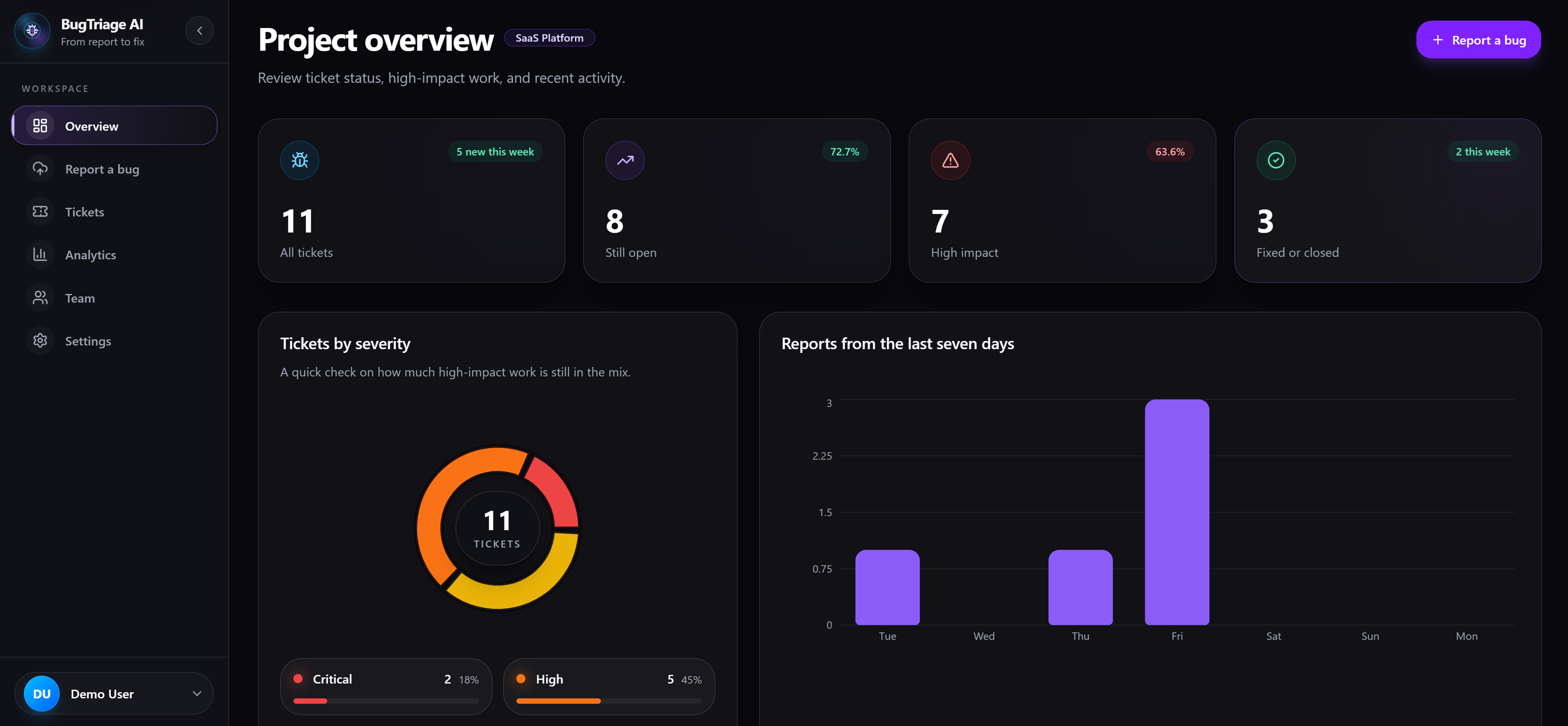
Live product preview
BugTriage AI engineering dashboard with ticket health, severity distribution, and report trends
Structured AI analysisSimilar-issue discoveryGitHub Issues export

One connected workflow

Signal in. Clear next step out.

  1. 01 · Raw report

    Report, screenshot, and logs

  2. 02 · AI triage draft

    Impact, steps, and likely cause

  3. 03 · Ticket ready for review

    Review, assign, or export

One report · before and after

Start debugging with the context already organized.

This is the sort of report every team recognizes: useful, urgent, and missing half the details. The original stays intact beside the draft.

What came in

Message from support

Customer on an iPhone says checkout hangs after they enter their card. The button stops responding. They tried twice and sent a screenshot from production.

iPhone 15Safari 17.4Production checkoutHappened twice
checkout-stuck.png

Submit button is disabled with valid card details.

payment-errors.txt

Two failed payment-state events from the same session.

AI triage draft

Checkout submit stalls after card validation on iOS Safari

Severity

Critical

Area

Checkout

Status

New

Reproduction steps

1Open checkout on iPhone Safari.
2Enter card details and continue.
3Payment form freezes before submission.

Where to look first

The Safari payment callback may leave submit state locked after validation succeeds.

First verification

Reproduce on the reported Safari version and trace the enabled state after the card callback.

Everything around the fix

Less triage overhead. More useful engineering context.

Capture what the reporter knows, preserve the evidence, and give the team a practical place to begin—without treating AI suggestions as unquestionable answers.

Raw context goes in. A useful first pass comes out.

Submit the report once with browser, device, environment, screenshots, and logs. The analysis is validated before it is saved to the ticket.

Summary and severityReproduction stepsLikely root causeSuggested fix
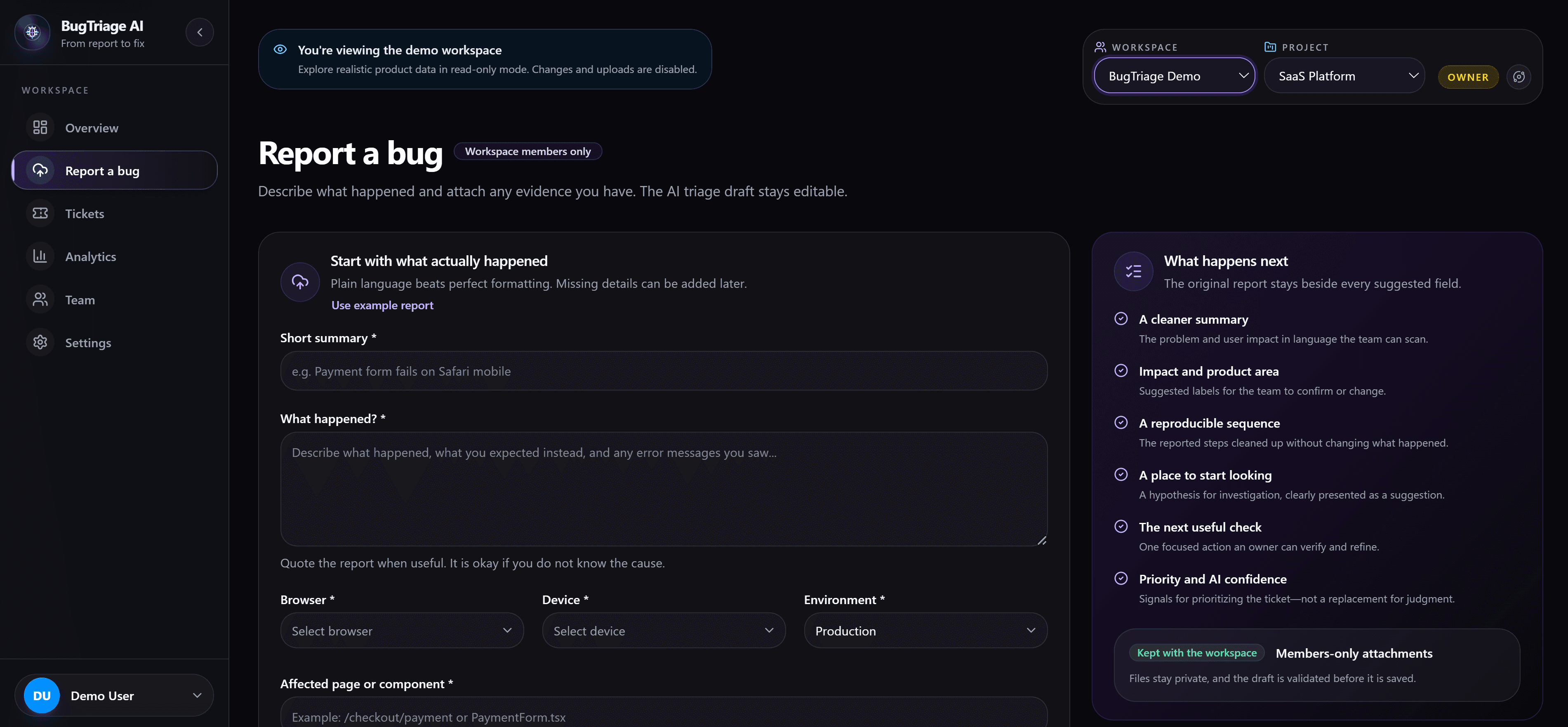
BugTriage AI submit bug form and the list of structured fields generated by AI
02

Semantic duplicate search

Surface related tickets by meaning, not just exact wording, before the team repeats investigation work.

Related ticket found89% match

Payment form stalls after card validation on Safari

03

Clean GitHub handoff

Export reviewed reports to GitHub Issues with the useful context already organized for engineering.

Reviewed ticket → GitHub Issue

Evidence stays attached

Keep screenshots, logs, browser details, environment, and affected routes beside the original report.

Ownership stays visible

Route by workspace and project, move through familiar statuses, and keep the next owner clear.

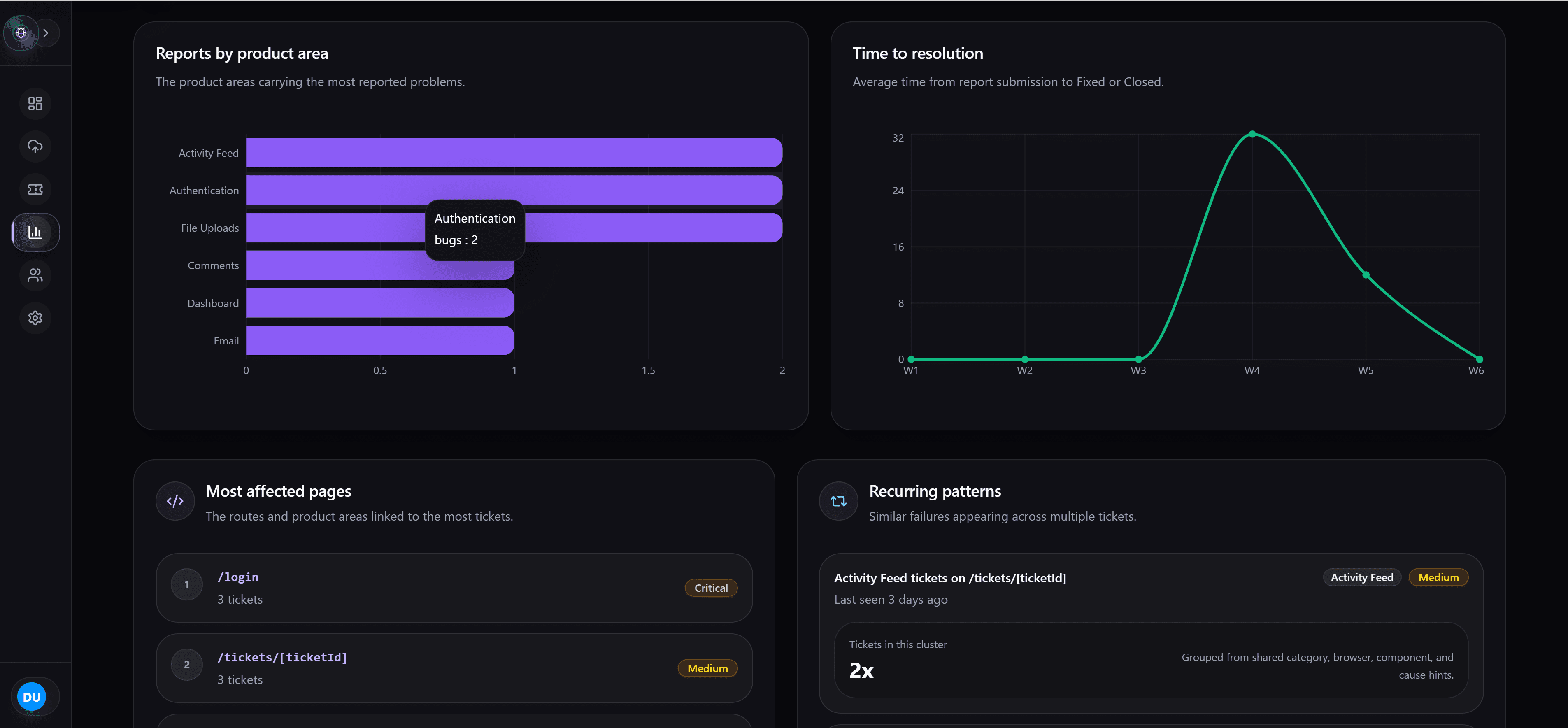
See recurring patterns—not just a growing queue.

Follow severity mix, affected product areas, repeated issue patterns, and resolution trends across the selected workspace.

BugTriage AI analytics showing bugs by category, resolution time, affected pages, and repeated issue patterns

A reviewable workflow

AI does the first pass. Your team makes the call.

The source report stays visible beside the generated analysis, so every suggestion can be checked, corrected, and assigned.

  1. 01

    Capture the report

    Add the problem description, device details, screenshots, and available logs.

  2. 02

    Review AI triage

    Compare the suggested severity, steps, and likely cause with the evidence.

  3. 03

    Assign the ticket

    Correct the suggestions as needed, assign the ticket, and record the next step.

Security is part of the workflow

Ticket data, files, and access stay scoped to the workspace that owns them.

Members-only routes
Private evidence uploads
AI drafts validated before saving
Workspace-scoped access

See the whole product

Give your next bug report a better starting point.

Open the read-only demo to inspect the dashboard, AI-triaged tickets, analytics, and team workflow with realistic data already loaded.

Demo access requires no account or setup